How to Install and Use Timers, Sensors, and Smart Switches
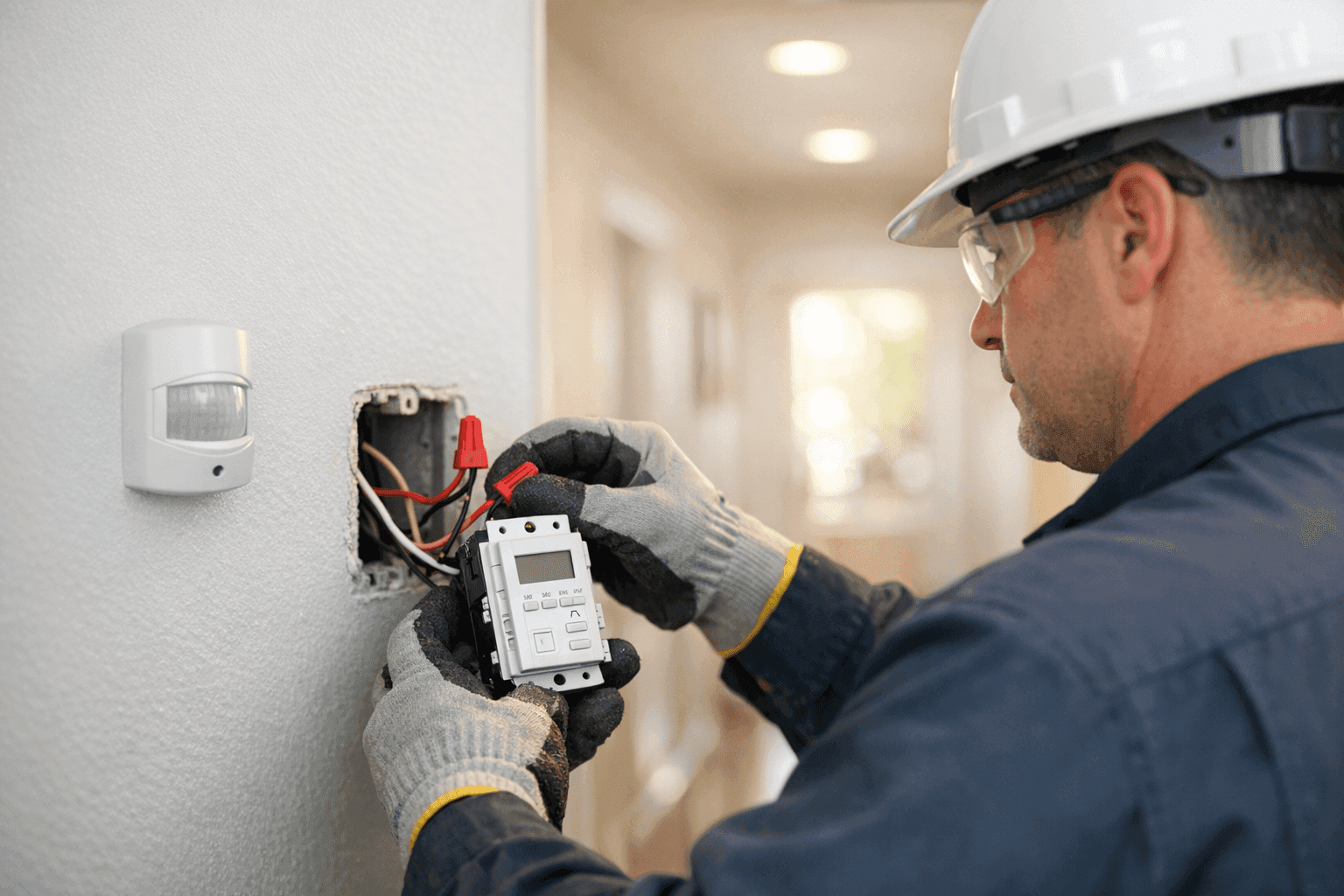
Is your hallway light always left on? Are you juggling different switches before heading to bed? Or maybe you want your pool lights to turn on automatically after sunset—no more running outside with wet feet. At Lighteq Electric, we know that small changes like installing timers, sensors, and smart switches can make your home safer, more efficient, and just plain easier to live in.
If you're thinking of automating your routines or upgrading your lighting, you’re in the right place. This guide explains, in everyday terms, how timers, sensors, and smart switches work—and how to make them a seamless part of your home. We’ll give you the basics, tips for safe wiring, and the confidence to know when to call in a professional electrician.
Why Automate? Real-Life Problems These Devices Solve
Picture this: You come home with your arms full of groceries. The porch light turns on by itself. Inside, your hallway lights up as you walk through. No fumbling for switches. No wasted energy.
Timers, sensors, and smart switches aren’t just gadgets—they solve real problems:
- Forgetting to turn off lights or fans
- Improving home security when you’re away
- Saving money on your energy bill
- Making it easier for kids and guests to navigate your home
In short, these devices make your home smarter, safer, and more comfortable.
Types of Timers and Sensors 🕒
It’s not one-size-fits-all. Here’s a quick tour of your options:
Timers
- Manual Timers: Simple dial or digital timers that control outlets or switches for lamps, fans, or holiday lights.
- Programmable Timers: Set on/off times for days or weeks—great for outdoor lighting and pool pumps.
- Astronomical Timers: Adjust automatically based on sunrise/sunset times.
Sensors
- Motion Sensors: Activate lights or alarms when movement is detected. Perfect for driveways or dark hallways.
- Occupancy Sensors: Detect when a room is in use and turn lights on or off.
- Daylight Sensors: Only activate when needed, saving energy during daylight hours.
Smart Switches
- Wi-Fi or Bluetooth Enabled: Control lights or appliances from your smartphone, even when you’re not home.
- Integrated Voice Controls: Work with Alexa, Google Assistant, or Siri.
- Multi-Way Smart Switches: Replace traditional three-way or four-way switches for complex lighting setups.
Benefits and Everyday Applications
Why bother with timers, sensors, and smart switches? Here’s what you gain:
- Energy Savings: Lights and appliances turn off when not needed.
- Security: Automate lighting to mimic your presence at home—even on vacation.
- Convenience: No more running through the house to turn off lights before bed.
- Safety: Illuminate pathways, stairs, and outdoor spaces at night.
- Accessibility: Make your home easier to use for children, seniors, or those with mobility challenges.
Common uses in homes:
- Pool & Spa Electrical near you: Automate pool pumps and lighting.
- Outdoor security lights: Motion sensors deter intruders.
- Bathroom fans: Timers prevent mold by running fans for just the right amount of time.
- Living room lighting: Smart switches add mood and control.
Wiring Basics: What Every Homeowner Should Know
Wiring isn’t magic—but it does require respect. Here’s the short version:
- Turn off power at the breaker. Always. Double-check with a non-contact voltage tester.
- Know your wires: Most switches have a hot (live), neutral, and ground wire. Some smart switches also require a neutral.
- Read the instructions: Each device is a little different. Don’t skip the manual.
- Use wire connectors (wire nuts): Never twist wires together and leave them exposed.
- Respect code: Follow the National Electrical Code (NEC) and any local requirements.
If your panel is older or the wiring looks like spaghetti, consider calling a licensed electrician. Safety comes first.
Compatibility: Will It Work in Your Home?
Before you buy, check compatibility:
- Type of switch: Is your fixture controlled by a single-pole, three-way, or four-way switch?
- Wiring: Many smart switches need a neutral wire. Older homes sometimes lack this.
- Bulb type: LED, incandescent, and CFL bulbs may need compatible dimmers or switches.
- Electrical load: Make sure your timer or sensor can handle the wattage of your lights or appliances.
If in doubt, snap a photo of your switch box and ask a professional.
Step-by-Step Installation Guide
Here’s a simplified roadmap for most installations:
- Turn Off Power
- Shut off the correct breaker. Test the circuit with a voltage tester.
- Remove Old Switch
- Unscrew the wall plate and switch. Pull gently to expose the wires.
- Identify Wires
- Label wires as you disconnect them (masking tape works well).
- Connect New Device
- Match wires according to the instructions. Secure with wire nuts.
- Mount and Restore Power
- Tuck wires into the box, screw in the new device, and attach the faceplate.
- Test Functionality
- Restore power and test all functions (manual, timer, sensor, app control as relevant).
If you feel lost at any point, stop. Safety matters more than speed.
Quick Safety Checklist Before You Start ⚡
- Did you turn off the right breaker?
- Are your hands dry?
- Is your ladder stable?
- Are there any signs of damaged insulation or exposed wires? (If yes, call a pro)
- Do you have the right tools? (Screwdrivers, wire stripper, tester, wire nuts)
More safety tips? The U.S. Consumer Product Safety Commission and the National Fire Protection Association both offer straightforward electrical safety advice.
DIY or Call a Pro? Knowing Your Limits
Some jobs are simple. Swapping a timer for a regular switch? Many homeowners can handle it. Installing a smart switch in a complex three-way circuit or dealing with old aluminum wiring? That’s when you want a licensed electrician.
You should always call a pro if:
- There are more than three wires in the box and you’re unsure what they do.
- Wires look burned, brittle, or mismatched.
- You’re unsure about code requirements.
For complex home automation, like integrating multiple sensors or smart panels, professional installation ensures code compliance and reliable performance. Lighteq Electric’s Home Automation service is designed for these projects.
What to Expect When a Pro Arrives
Here’s how a qualified electrician approaches the job:
- Inspects your existing wiring and panels
- Checks for code compliance
- Installs the device using best practices
- Tests the installation for safety and performance
- Explains how to use your new timer, sensor, or switch
We do more than just connect wires. We make sure your home is safer and smarter.
Common Mistakes to Avoid
- Mixing up neutral and ground wires
- Overloading a timer or sensor with too many lights or devices
- Not checking compatibility with LED bulbs
- Forgetting to secure all wire connections
- Skipping the power-off step (never!)
Remember, mistakes with electricity can be dangerous. Always double-check your work.
Troubleshooting: When Things Don’t Work
If your new device doesn’t work:
- Double-check the breaker is on
- Confirm wires are connected to the correct terminals
- Look for tripped GFCI outlets (especially in bathrooms or kitchens)
- Reset smart devices by following the manufacturer’s instructions
- For Wi-Fi devices: Check your network connection and app settings
Still stuck? Some issues need an expert’s eyes. If you’re in the area, Lighteq Electric’s Installations team is always ready to help.
Prevention & Maintenance
Timers, sensors, and smart switches are low-maintenance, but a little attention goes a long way:
- Dust sensors and switches to prevent false triggers
- Check batteries in wireless devices every six months
- Test functionality after power outages
- Schedule an annual electrical safety inspection
Our certified electricians can include device checks during regular Lighting service visits.
Costs & Time Factors: What to Expect
- Timers and manual sensors: $15–$60 each, plus installation
- Smart switches: $30–$120 each, depending on features
- Pro installation: Most jobs take 30–60 minutes per device, but older homes or multi-way circuits can take longer
Investing in automation pays off with lower energy bills and increased peace of mind.
Seasonal Considerations
- Summer: Automate pool pumps and fans for comfort and efficiency
- Winter: Use timers for holiday lights and safety lighting
- Travel: Program lights and sensors to simulate occupancy while you’re away
Signs You Need an Upgrade
- Lights flicker or stay on too long
- Timers or sensors work inconsistently
- You’re using extension cords or plug-in timers everywhere
- You want to control devices from your phone or with your voice
Frequently Asked Questions
Can I install a smart switch without a neutral wire?
Some smart switches are designed for homes without a neutral, but options are limited. Always check before buying.
Do timers and sensors work with LED bulbs?
Most modern devices do, but always check compatibility. Some older timers may not function properly with LEDs.
Is home automation secure?
Choose reputable devices and always update firmware. For best results, consult with a licensed electrician.
A Brighter, Smarter Home—One Switch at a Time
Upgrading to timers, sensors, and smart switches gives you more control, saves energy, and adds a layer of security. Whether you’re automating a single light or your whole house, Lighteq Electric is here to help—right down to code compliance and safety.
Call Lighteq Electric now — or reach us anytime at 855-552-3493 .